PadSampler

A live sampler for musicians, on your tablet, phone and computer.

Launch loops and one-shots from a clip grid, mix them, program drums and synth lines, and stay in time with Ableton Live over Ableton Link. Plays with a Novation Launchpad Mini MK3. Works offline, made for the stage.

Free and open source software (GPL-3.0) by Nerd Instruments.

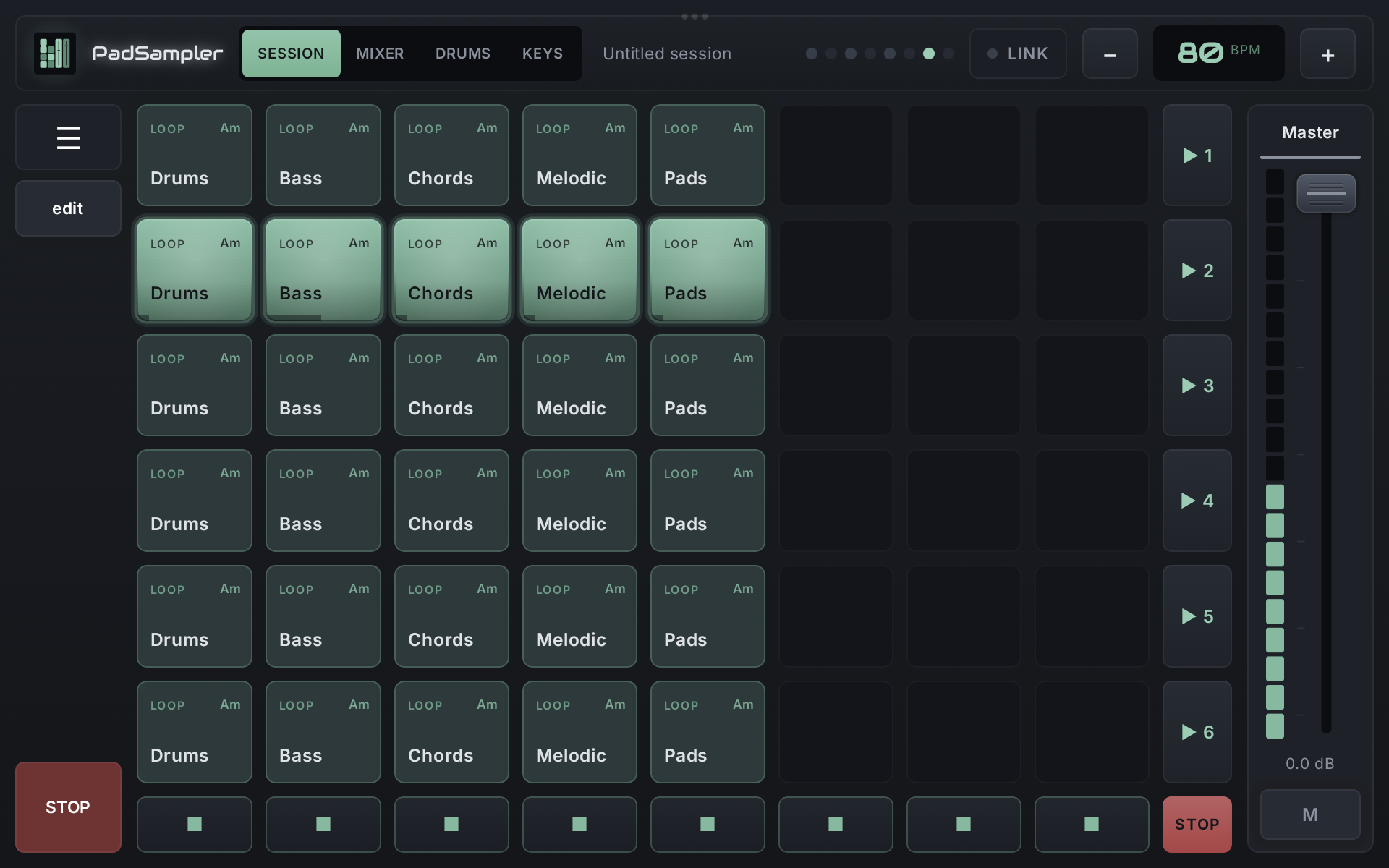
PadSampler session screen: a grid of clips with one scene playing

Session: launch clips in time

  • 6 scenes × 8 tracks. One clip per track plays at a time, like Ableton Live's session view.
  • Every clip starts on the next bar, so you can't miss the beat.
  • WAV, AIFF and MP3. Change the tempo any time and every sample is time-stretched to it, without changing pitch.
  • Sample browser with search, filters and preview.
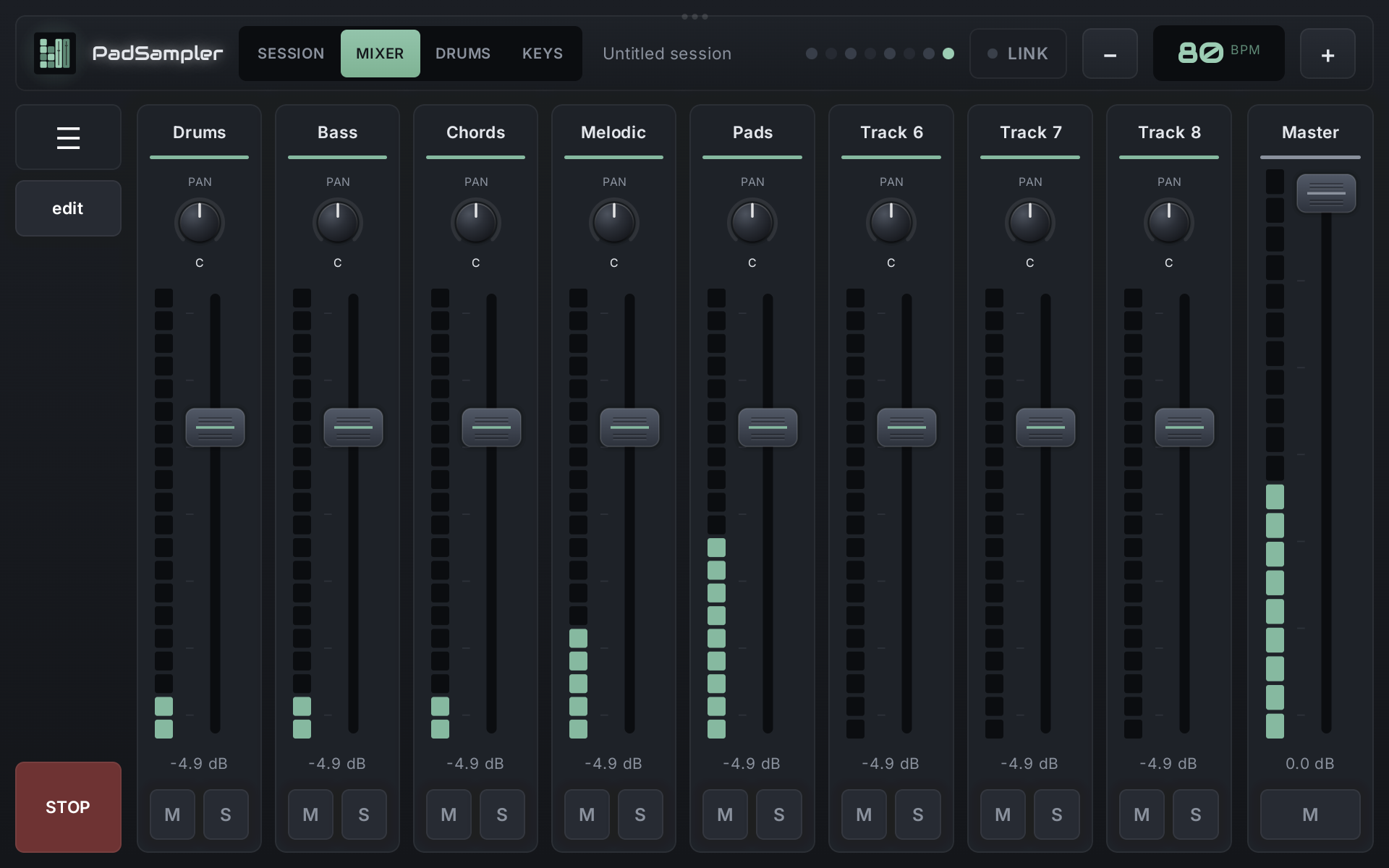
Mixer

  • A fader, level meter, mute, solo and pan for every track.
  • Master channel always at hand.
  • Faders and mutes also on the Launchpad.
Mixer screen

Drums

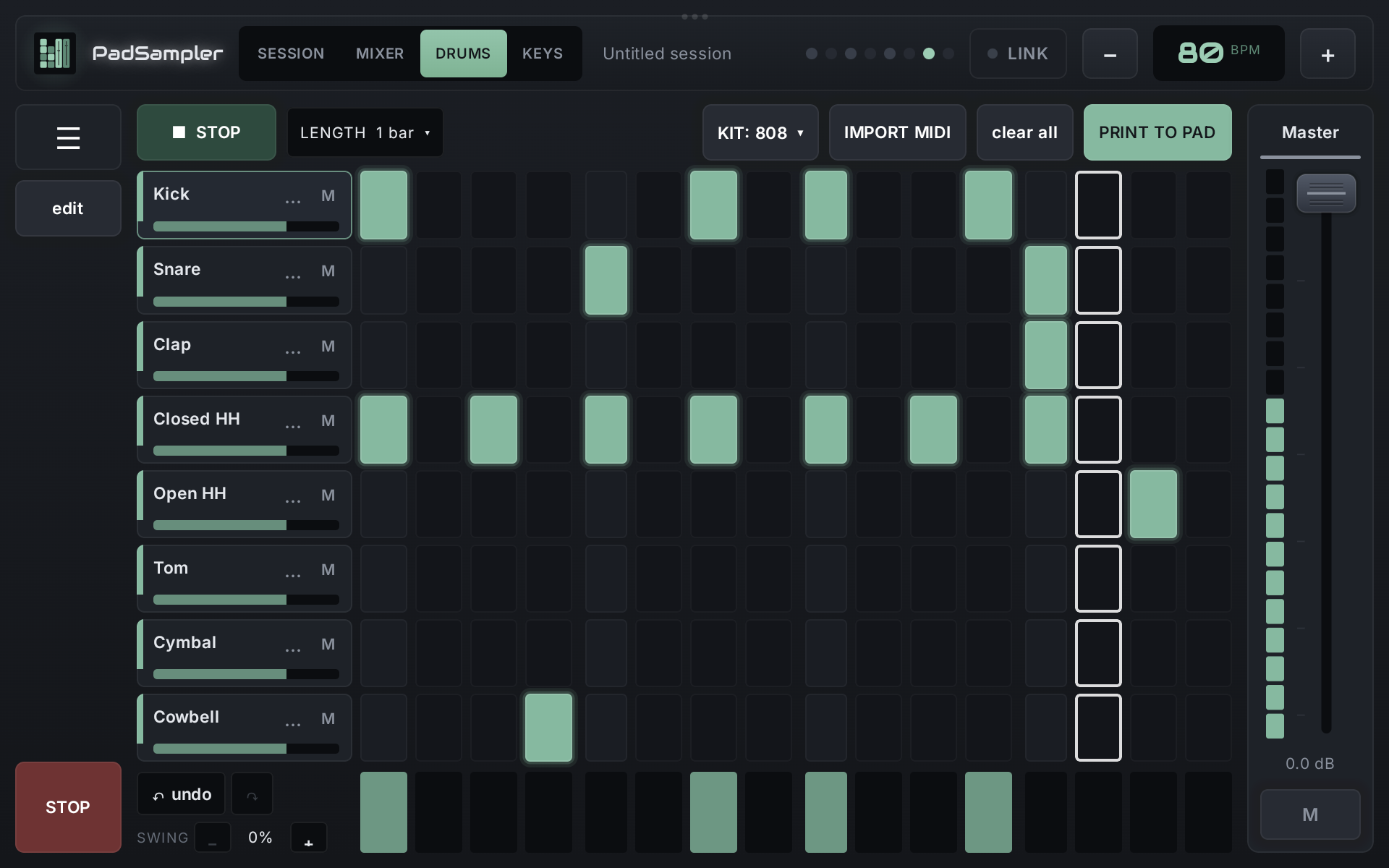
  • 8-lane step sequencer, 1 to 8 bars, swing and velocity per step.
  • Built-in drum machine: 808, 909, Electro and Lo-Fi kits, every sound tunable. Or use your own samples.
  • Import drum parts from MIDI files.
Drums step sequencer

Keys: a classic mono/poly synth

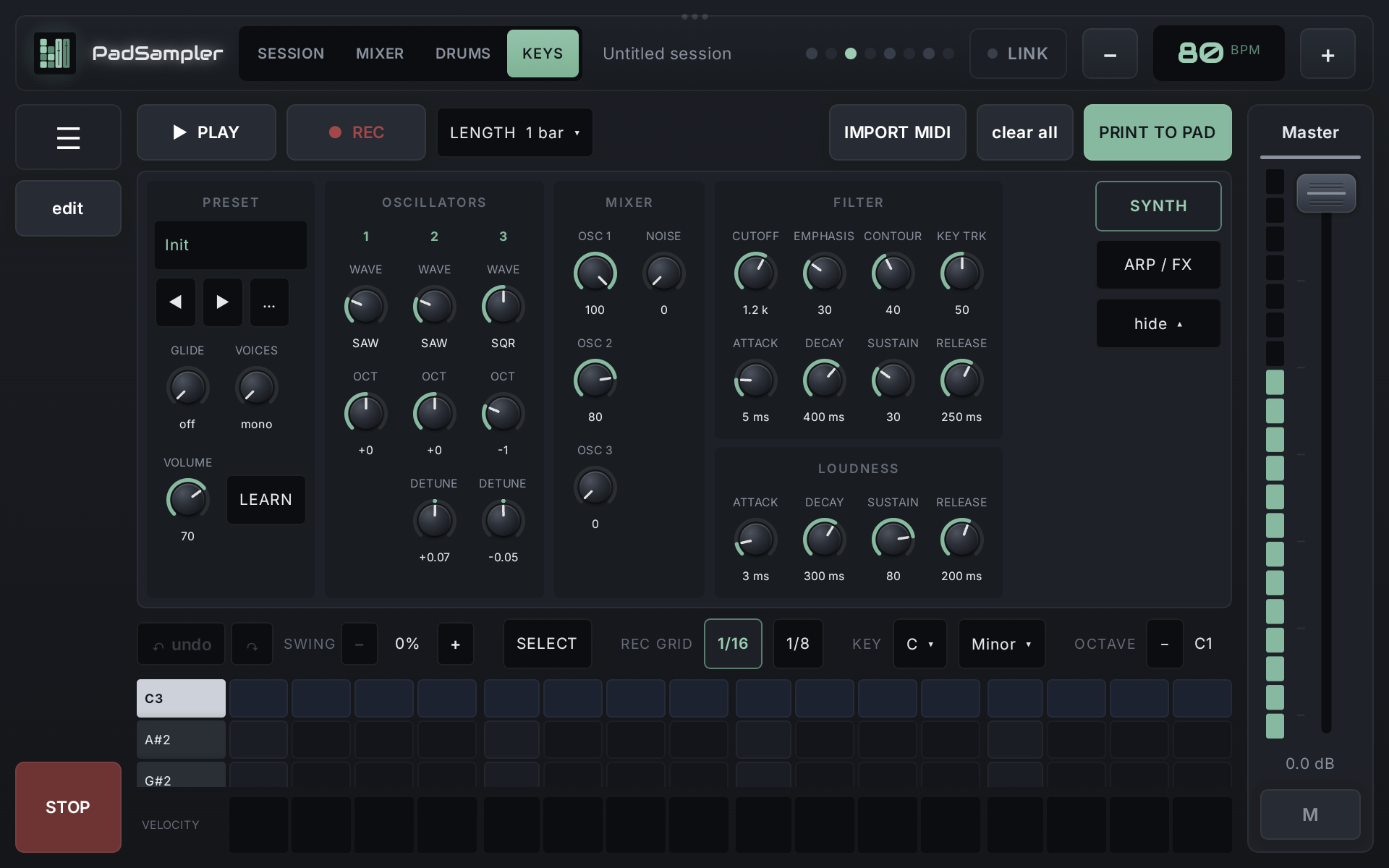
  • Three oscillators, noise, 24 dB ladder filter, two envelopes, glide, up to 8 voices.
  • 27 built-in presets, save your own.
  • Arpeggiator, drive, chorus, tempo-synced delay and reverb.
  • MIDI keyboard support with MIDI learn for every knob.
Keys synth panel

Piano roll and Print to pad

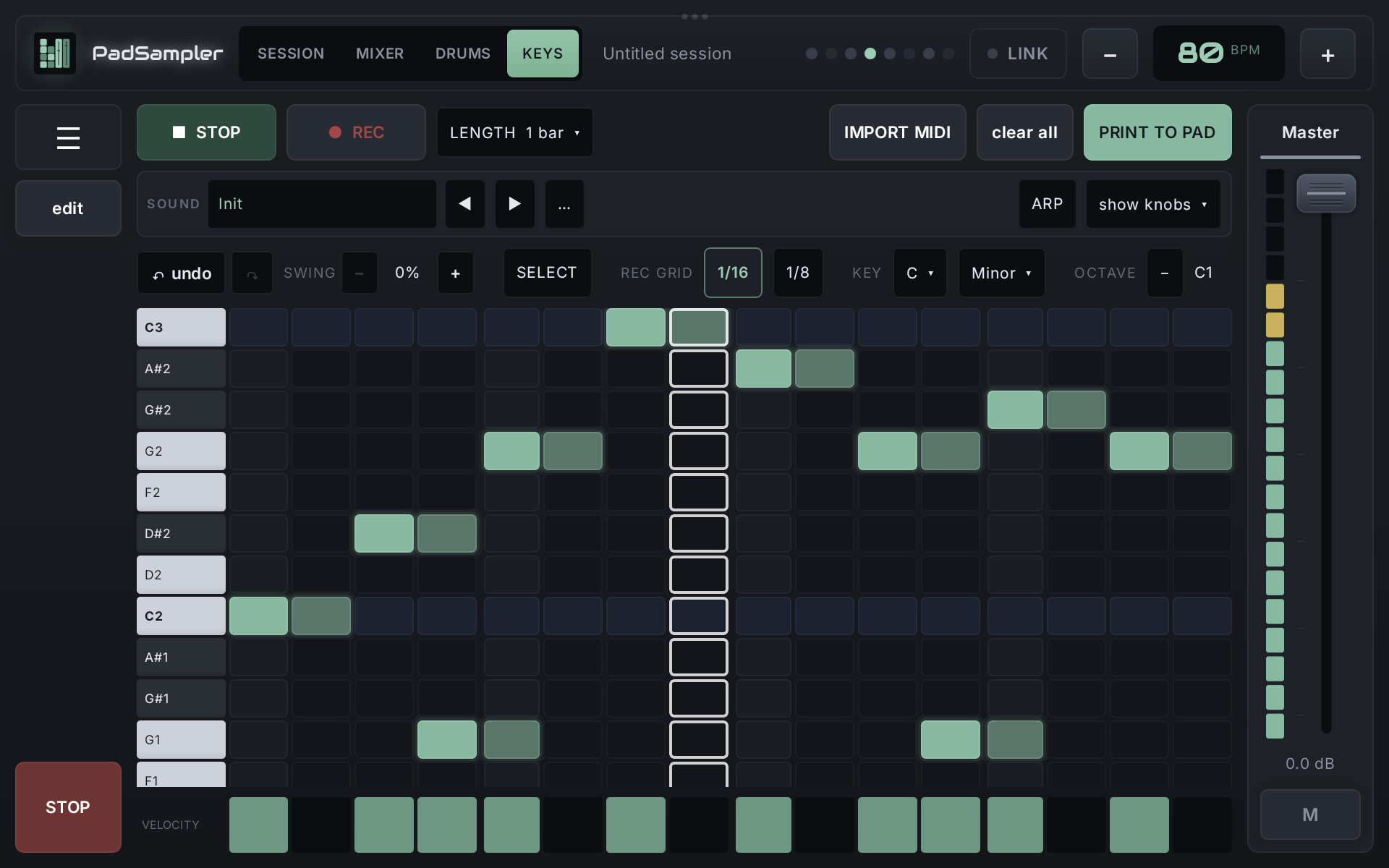
  • Piano roll in your scale. Draw notes, or record live with count-in from the screen, the Launchpad or a MIDI keyboard.
  • Import melodies from MIDI files.
  • Print to pad turns a Drums or Keys pattern into a seamless loop on any pad, ready to launch.
Keys piano roll

Made for playing live

Ableton Link

Shared tempo, beat and start/stop with Ableton Live and other Link apps on the same Wi-Fi. Link Audio sends PadSampler's master output straight into Live.

Launchpad Mini MK3

Plug it in over USB: clip grid, scenes, mixer, drum steps and a keyboard in your scale, all with LED feedback.

Sessions and set list

Each song is a session with its own samples. Export one file and move it between tablet and computer. Put songs in a set list and step through the show.

Offline and low latency

No account, no internet needed, no ads, no tracking. Oboe on Android, WASAPI or ASIO on Windows. The screen stays on while you play.

Get PadSampler

Windows

Free

The full app for Windows 10 and 11, 64-bit.

Download
Android tablet & phone

Google Play

A small price supports development. Coming soon.

Coming soon
Source code

GPL-3.0

All of PadSampler is open source. Build it yourself, study it, change it.

GitHub